
8_MIN_READAI video production
Spider-Man: Brand New Day Swinging Scene With Higgsfield Genjutsu
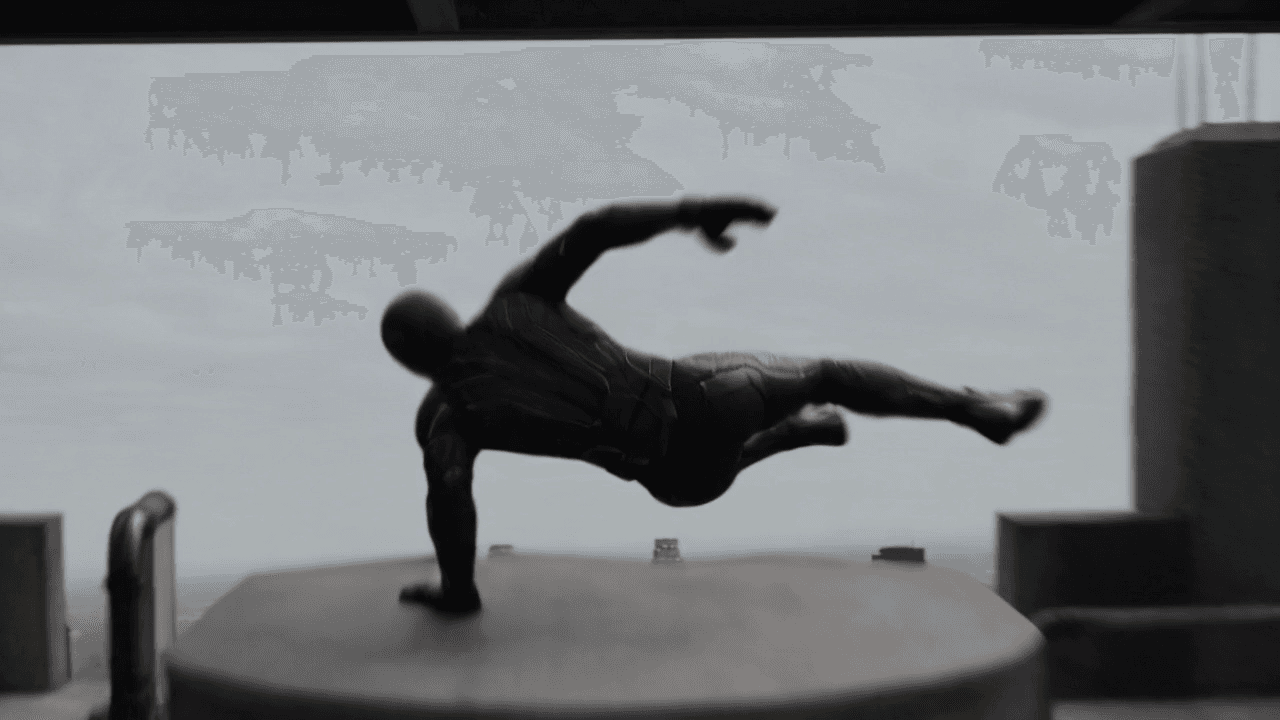
Create a cinematic web-swinging shot with a supplied depth map, a GPT Image 2 character sheet, and Higgsfield Genjutsu Motion Transfer.
Recreating a fast web-swinging shot with AI can be difficult. The character needs to stay recognisable while the body, camera, and environment move quickly through the frame.
This workflow makes the process easier by giving each reference one clear job. A GPT Image 2 character sheet defines the hero's appearance. Our supplied depth map carries the swinging motion, timing, and camera movement. Higgsfield Genjutsu Motion Transfer combines them into a new cinematic shot inspired by Spider-Man: Brand New Day.
You do not need to animate the scene by hand. Prepare a clean character sheet, upload the supplied motion reference, and give Genjutsu a short, direct description of the result.
Download the files and open Higgsfield
- Depth map video: Download the motion reference from Google Drive
- Higgsfield offer: Open Higgsfield and claim the available offer
The depth map is provided only as a motion reference for this tutorial. Use it to guide the movement and camera, not as the visual style of the final shot.
NOTE : IF YOU ARE GETTING VIOLATIONS DON’T USE ANY FAMOUS SUIT AND JUST KEEP TRYING
An original web-swinging suit is often easier to generate and gives you more creative control. Change the colours, chest symbol, mask pattern, and material details while keeping the same type of agile superhero movement.
What you need
- Access to GPT Image 2
- Access to Higgsfield Genjutsu
- The depth map video linked above
- One clear reference image for your hero
- A simple idea for the suit and final city environment
Genjutsu supports a reference video and multiple reference images. For this workflow, one strong character sheet is usually enough to begin.
How the workflow works
The inputs have separate responsibilities:
- The character sheet controls the face, suit, colours, body shape, and design details.
- The depth map controls the pose changes, body movement, swing timing, camera path, and framing.
- The Genjutsu description tells the model how the rebuilt scene should look.
Keeping these roles clear helps the model understand what it should copy from each source.
Step 1: Create the character sheet in GPT Image 2
Begin with a clear reference image of the character you want in the final video. A front-facing or three-quarter full-body image works best. Avoid images with heavy shadows, crossed limbs, motion blur, or a busy background.
Open GPT Image 2, upload your character reference, select a 16:9 aspect ratio, and use the prompt below.
Character sheet prompt
Use the uploaded image as the character identity reference. Preserve the exact face, hairstyle, skin tone, body proportions, and recognizable features of the person.

Create a professional character reference sheet showing the same character wearing a futuristic suit.

SUIT COLOR: [PRIMARY COLOR] with [SECONDARY / ACCENT COLOR]

The suit should have a sleek, premium, detailed design with realistic materials, clean paneling, and a consistent visual appearance across every view. The exact same suit design must be maintained in all shots.

Create these views in one clean composition:

1. Full-body front view, unmasked — standing straight and facing forward.
2. Full-body back view, unmasked — showing the complete back design of the suit.
3. Full-body side view, unmasked — showing the suit silhouette and side details.
4. Full-body frontal view, masked — wearing a matching full-face mask that follows the same suit colors and design language.
5. Face close-up, unmasked — detailed frontal portrait showing the exact identity of the uploaded character.

Clean white or light gray studio background, professional character turnaround sheet, balanced 16:9 horizontal layout, consistent lighting, photorealistic, cinematic quality, highly detailed realistic suit textures.

Strict consistency: same person, same face, same hairstyle, same body proportions, same suit, same colors, and same design in every view. No text, no labels, no extra characters.
Example Character Sheet
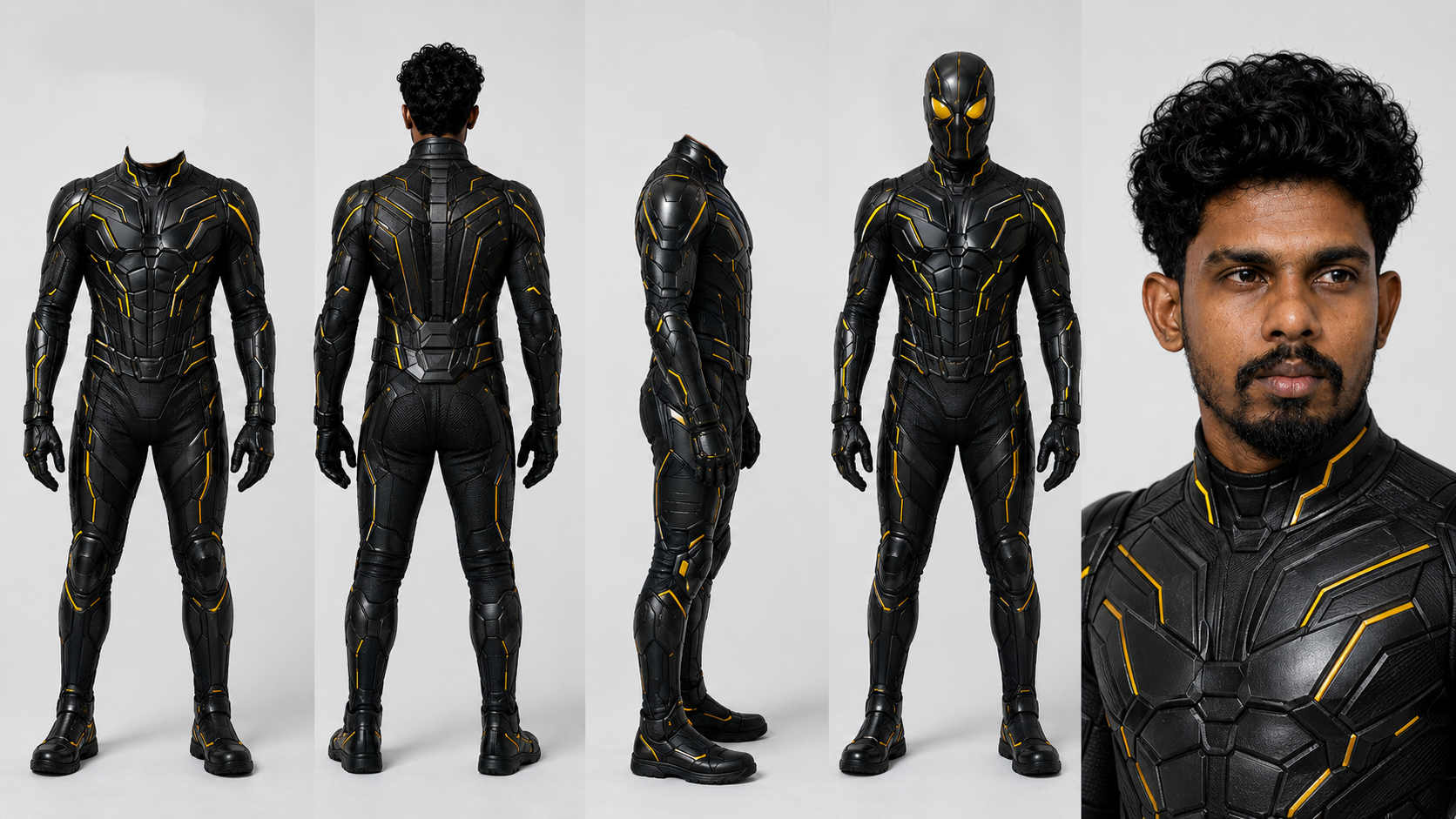
If you want to avoid using a famous suit, replace the suit section with your own description. For example:
Use an original dark navy and deep red tactical suit with a small silver spider-inspired chest emblem, fine geometric web lines, matte technical fabric, reinforced gloves, and white expressive eye lenses. Do not copy any existing movie suit or protected logo.
Step 2: Prepare the depth map video
Download the depth map from the Google Drive link at the beginning of this guide. Preview the full clip before uploading it.
Do not colourise or restyle the depth map before using it. Genjutsu only needs the motion information inside the clip.
If you trim the reference, keep the full action beat you want to recreate. An incomplete swing can produce an awkward start or finish.
Step 3: Open Genjutsu Motion Transfer
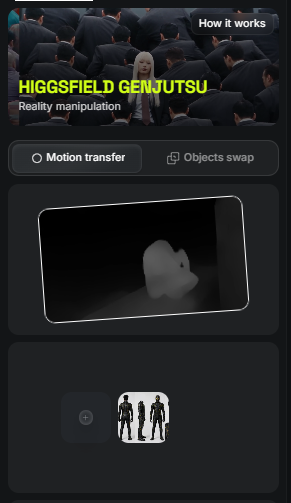
Open Higgsfield and select Genjutsu. Choose Motion Transfer, not Object Swap.
Then add the inputs:
- Upload the supplied depth map as the original video.
- Upload the GPT Image 2 character sheet as the character reference.
- Select the best available output quality for your test.
- Add the short scene description below.
Motion Transfer is the correct mode because we want to keep the movement and camera from the source while rebuilding the visible character and environment.
Step 4: Describe the final scene
Genjutsu does not need a very long prompt. But a clear description usually works better because the depth map already contains the choreography.
Genjutsu Motion Transfer prompt
Cinematography & Style:

High-budget, ultra-realistic live-action cinematic sequence captured on an overcast day in a dense metropolis with dynamic, fast-paced camera tracking. Strict motion, spatial depth, and camera-path transfer guided directly by depth video @[Video 1](video_1).

Character & Costume Reference (Follows @[Image 1](image_1)):

0:00 – 0:02s: The superhero character starts unmasked, matching the exact facial features, hair, physique, and superhero suit from the unmasked section of the character reference sheet @[Image 1](image_1).

At 0:02s: Mid-sprint, the character pulls on the full-head mask shown in the masked turnaround section of @[Image 1](image_1).

0:02s – End: The character stays fully masked for the rest of the sequence, maintaining consistent suit materials, textures, and mask details from @[Image 1](image_1).

Action & Motion Choreography (Follows @[Video 1](video_1)):

Character sprints aggressively across an industrial skyscraper rooftop.

Puts on the mask mid-stride at 0:02s without breaking sprint momentum.

Vaults smoothly over an HVAC unit at the rooftop edge.

Launches into a massive leap into open air above the skyline.

Slides down a steep glass roof incline with friction and speed.

Lands momentarily onto an exterior maintenance ledge, immediately transitioning into a reverse vertical swan-dive freefall straight down between high-rise skyscrapers.

Audio / SFX:

Pure realistic sound design (SFX only, no music). Heavy rooftop footsteps, fabric/mask pull whoosh, rush of high-altitude wind, glass slide friction, ambient urban rumble, and intense wind roar during freefall.
If Genjutsu follows the motion but changes the suit, shorten the prompt and place the character instruction first.
Short consistency retry prompt
Replace the depth character with the exact hero from the uploaded character sheet. Keep the face, mask, suit design, colours, symbols, materials, and body proportions unchanged in every frame. Preserve the source motion, timing, camera, and framing exactly. Rebuild the environment as a realistic daytime New York web-swinging scene with believable gravity and web tension.
Step 5 : Generate and review the result
Generate the first version and compare it directly with the depth map. Review one issue at a time instead of judging the complete shot at once.
Check the motion
The main poses and action beats should happen in the same order as the reference. Check the fall, rotation, web release, swing direction, and final movement.
Check the character
Watch for changes in the mask lenses, chest symbol, suit colours, hand design, and body shape. Fast turns and distant frames are the most likely places for the design to drift.
Check the physics
The hero should gain speed while falling and change direction when the web becomes tight. The body should react to the pull of the web. Avoid results where the character floats or changes direction without force.
Check the camera
The camera should stay close to the path and framing of the supplied clip. If it creates a different camera move, remind Genjutsu to preserve the source camera and timing exactly.
Step 6: Fix only the weak part
Do not rewrite every instruction after one failed result. Change the part connected to the problem.
Use these short corrections when needed:
Keep the suit design and chest symbol unchanged in every frame.
Follow the source video's body motion, timing, and camera path more closely.
Increase the feeling of gravity, falling speed, momentum, and tension in the web.
Keep both arms and legs anatomically correct during the fastest movement.
Preserve the hero's scale and distance from the camera throughout the shot.
Change one instruction, generate again, and compare the result. This makes it easier to understand what improved the shot.
Why this workflow works
The depth map already contains difficult information such as movement, timing, pose, and camera direction. Genjutsu does not need to invent the whole shot from a written prompt. It can concentrate on rebuilding the visible world around that motion.
The GPT Image 2 character sheet gives it a stable design to follow from multiple angles. Together, these references reduce guesswork and make the result easier to direct.
The first generation may still need another pass, especially during fast rotations. A clean character sheet, a readable depth map, and short corrections will usually give you a stronger result than adding more and more words to the prompt.
This fan-inspired tutorial is an independent creative workflow and is not affiliated with or endorsed by Marvel, Sony Pictures, or the creators of Spider-Man: Brand New Day.
Tool reference: Higgsfield Genjutsu. Genjutsu Motion Transfer preserves motion, camera, and timing while rebuilding the scene from your references.
Join the conversation
Ask a question, share an idea, or leave a little appreciation.
Loading discussion…
// MORE_TRANSMISSIONS
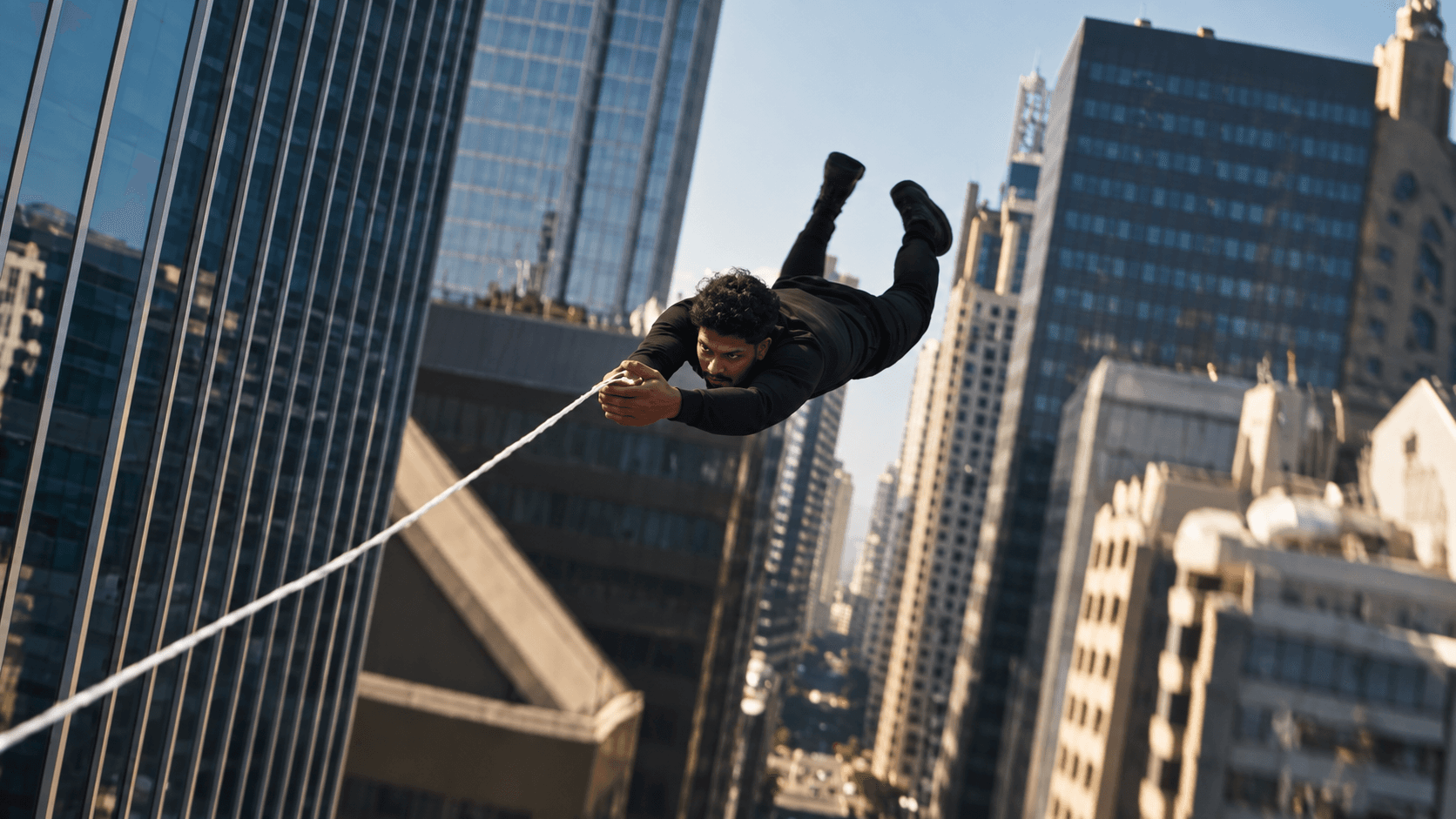
Spider Swing Cinematic AI Video: A Seedance 2.5 Depth Pass Workflow
Learn how to combine a clean character sheet, a depth-pass motion reference, and Seedance 2.5 to create a cinematic AI action sequence with stronger identity and motion consistency.
READ_TRANSMISSION
Is It Safe to Use AI in Business? Risks, Safety & Strategies
Discover if using AI in business is safe. Explore key risks, IP protection, security best practices, and enterprise strategies for safe AI adoption.
READ_TRANSMISSION
What is Prompting in AI? The Art of Cinematic AI Directing
Discover what AI prompting is and how prompt engineering turns creative vision into stunning, cinematic video content. Master the language of AI with NFX Creations.
READ_TRANSMISSION