
2_MIN_READNFX Studio
How to Keep the Same Character Across AI Images and Videos
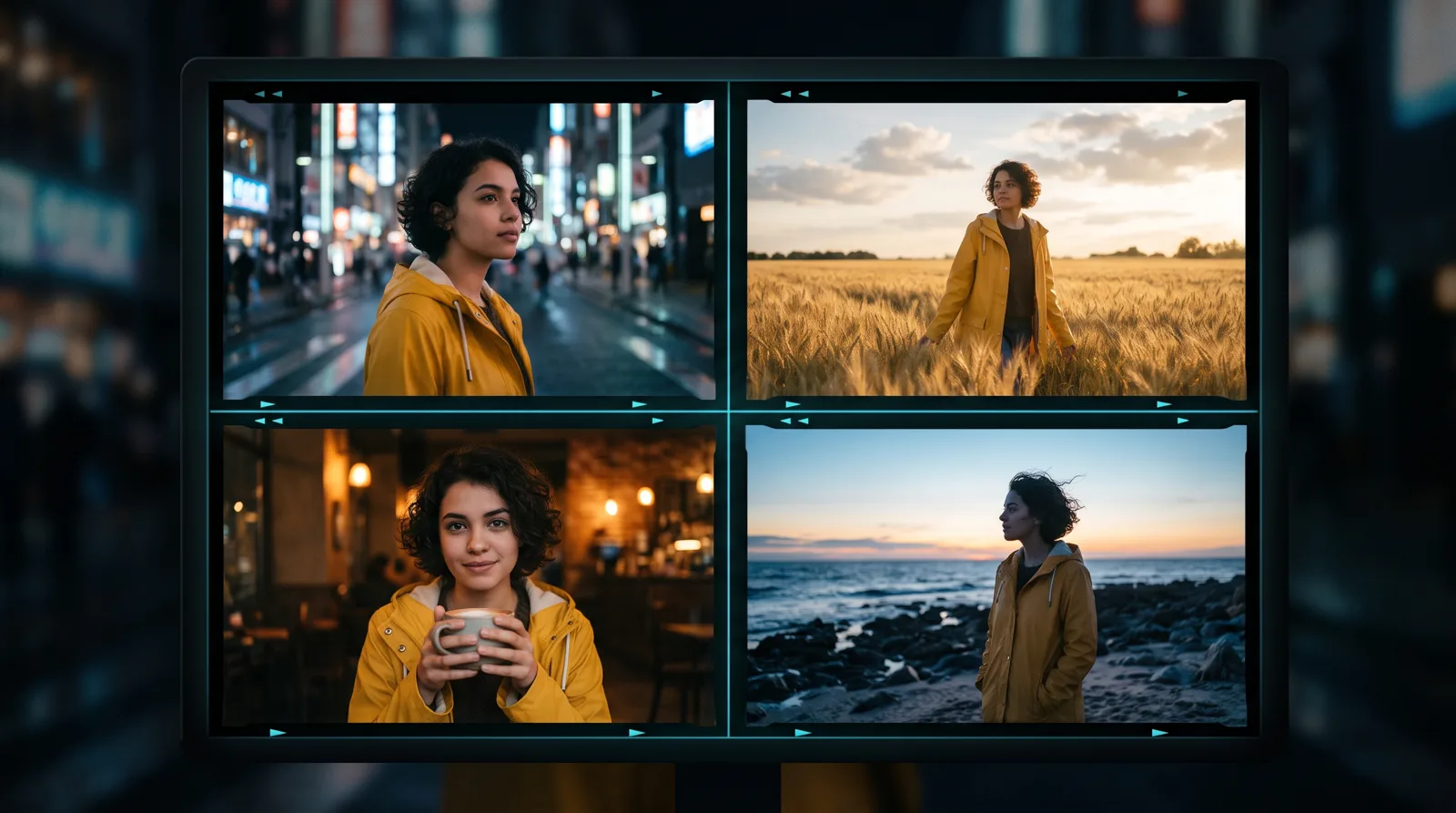
Faces that change from shot to shot are the biggest giveaway of AI content. Here is a practical workflow for consistent AI characters — from reference photos to finished video.
You generate a perfect hero shot. Then you generate the next scene — and your character has a different nose, a new hairstyle and somehow a different jacket. Inconsistent characters are the number one reason AI stories feel fake.
At NFX Creations, character consistency is central to the brand films and series we produce. This is the workflow we use, and how you can do the same in NFX Studio.
Why AI characters drift
Image and video models don't "remember" a person between generations. Each prompt is a fresh guess based on your words. "A woman with short dark curly hair" describes thousands of possible faces, so you get a different one every time.
Fixing that means giving the model something stronger than words: a trained character or a strong visual reference.
Step 1: Collect good reference photos
Whether it is a real person (with their permission) or a character you designed, gather clear images:
- Several angles — front, three-quarter, profile.
- Even, simple lighting.
- A neutral expression plus a few natural ones.
- Little or no heavy filters, sunglasses or hands over the face.
Quality beats quantity. A smaller set of clean photos usually outperforms a large set of messy ones.
Step 2: Train a reusable character
In NFX Studio you can create a character (Soul ID) from your reference photos. Training usually takes around ten minutes, and afterwards you can select that character in any compatible image generation and it keeps the same face across very different scenes, outfits and lighting.
Only use photos you own or have permission to use — this matters both ethically and under the terms of every AI service.
Step 3: Lock the look in a key frame
Generate a few hero stills of your character in the style of your project. Pick the one that best matches the brief. This becomes your key frame — the visual anchor for everything else.
Keep wardrobe and props described in the same words every time ("yellow raincoat, silver hoop earrings") so they stay consistent too.
Step 4: Animate from the key frame
For video, start from your approved still instead of from text alone. Image-to-video models such as Kling and Seedance use your frame as the first image, so the face, outfit and setting carry into the motion. In NFX Studio you can drag a result straight from your gallery into the video model's input, or @mention it inside the prompt.
Step 5: Build scenes, not one long take
Generate each shot separately, each starting from a consistent frame, then edit them together. Short shots stay more stable than long ones, and you can regenerate a single weak shot without touching the rest.
Common mistakes
- Changing how you describe the character between prompts.
- Asking for extreme angles the references never showed.
- Stacking many style keywords that fight the character's look.
- Trying to fix a drifting face with more adjectives instead of a better reference.
Ready to try it?
Create your character and your first scenes in NFX Studio. Need a complete brand film with recurring characters, produced end to end? That is what our production team does every day.
Join the conversation
Ask a question, share an idea, or leave a little appreciation.
Loading discussion…
// MORE_TRANSMISSIONS

How to Write AI Video Prompts That Look Cinematic: Camera, Lens and Light
Generic prompts make generic videos. Learn the film language — shot size, camera movement, lens, lighting and colour — that turns AI clips into cinematic shots.
READ_TRANSMISSION
Kling vs Seedance vs Wan vs Hailuo: Which AI Video Model Should You Use?
A practical guide to choosing between today's leading AI video models — what each one is good at, and how to test them side by side without paying for four subscriptions.
READ_TRANSMISSION
AI Video Generator Without a Subscription: How Pay-Once Credits Work
Tired of paying every month for an AI video tool you only use sometimes? Here is how one-time credit packs work, what they cost, and when they beat a subscription.
READ_TRANSMISSION